
Individual apps
Block TikTok, Instagram, X, Reddit, YouTube or a game one by one — whichever ones actually take your hours.
iPhone app blocker · Focus timer · Built on Apple Screen Time
Goalism is an app blocker and focus timer for iPhone. Start a session when you sit down to work: the apps and websites you named stay shut until it ends — and if you reach for one anyway, you meet your own words instead of a scoreboard.
Free to start · iOS 16 or later · No account, no ads
How it works
Goalism does not police your day. Outside a session, a schedule or a daily limit you set yourself, every app on your phone opens exactly as it always did.
STEP 1
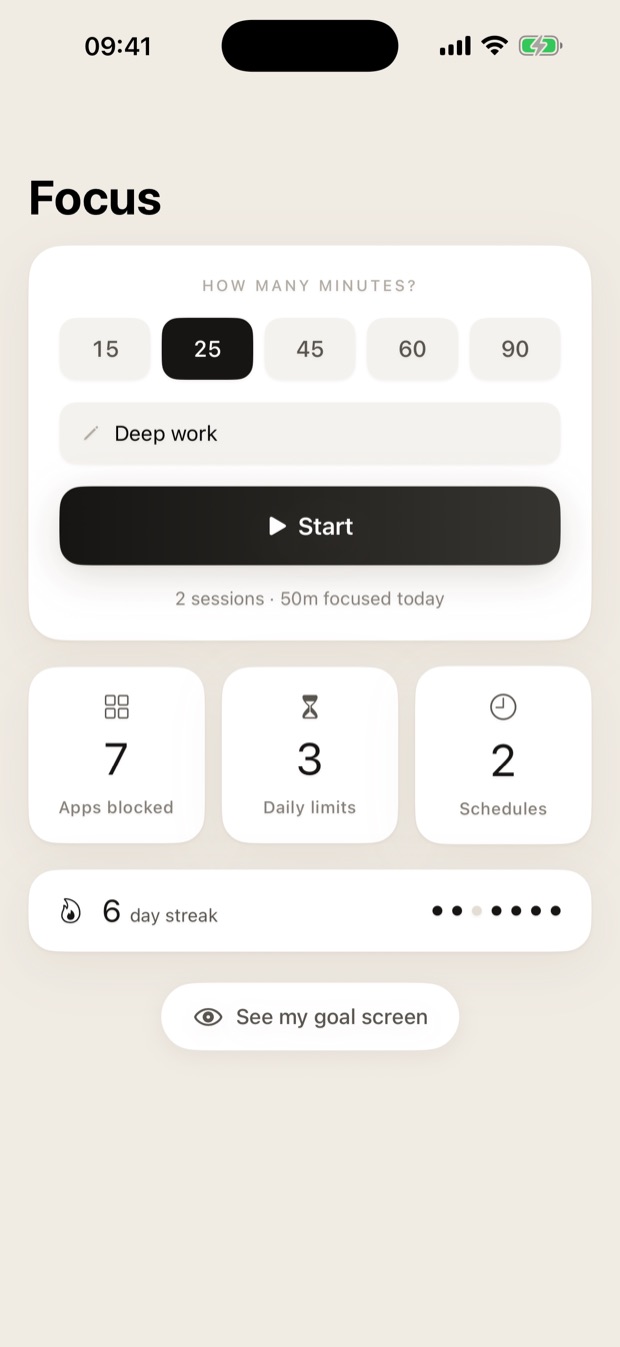
Choose the apps you keep losing hours to, give the session a name, and start it. For as long as it runs, those apps stay shut. Ending early costs you a short wait — on purpose.
STEP 2
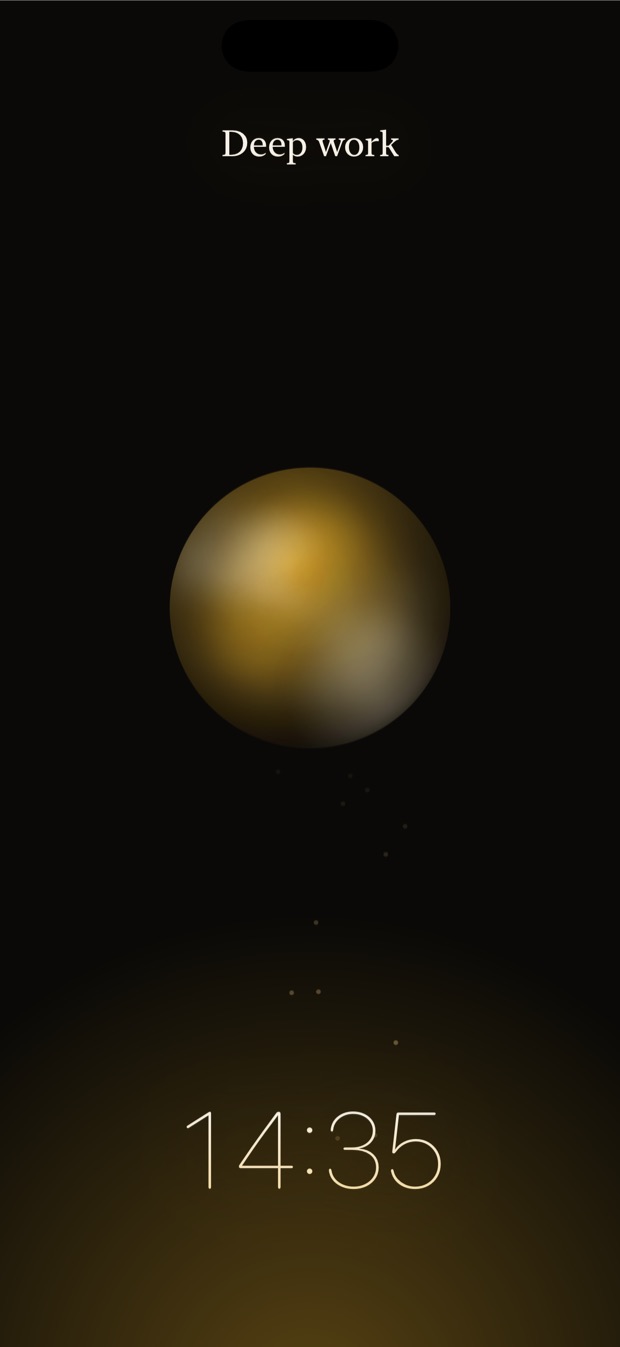
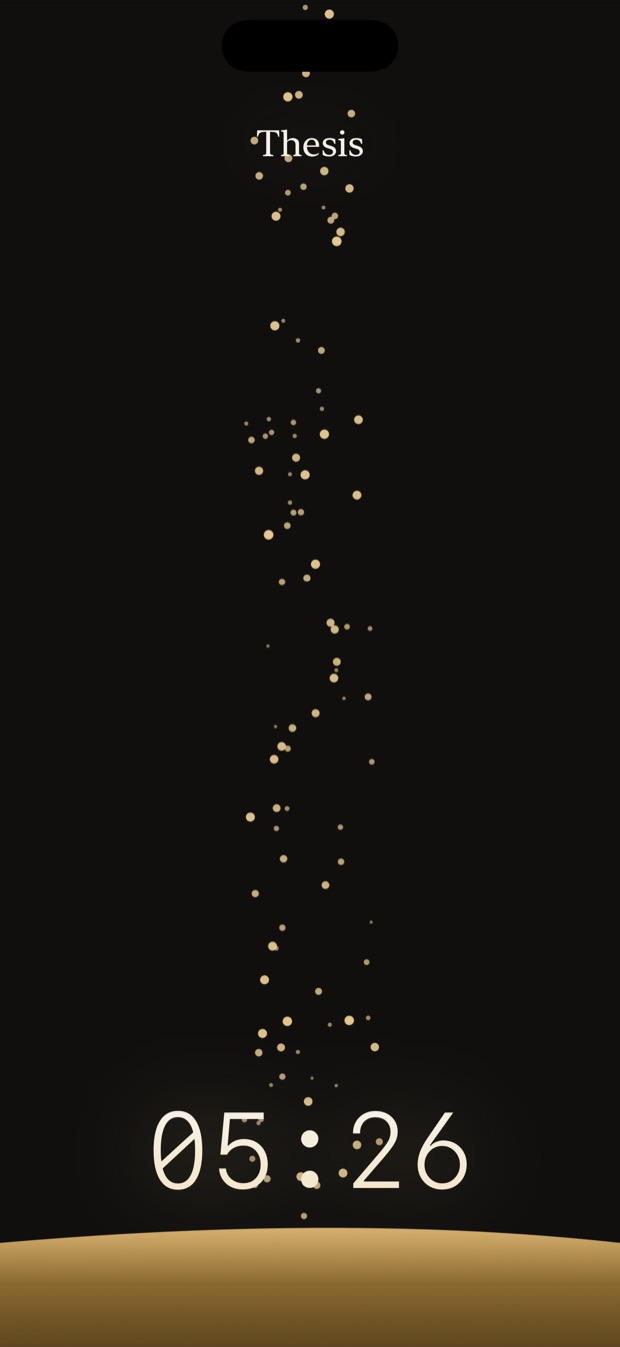
Molten glass cooling, an ink well filling, an eclipse, sand falling. Eight scenes, all breathing on the same slow rhythm. Nothing flashes, nothing nags, nothing asks you to come back and check.
STEP 3
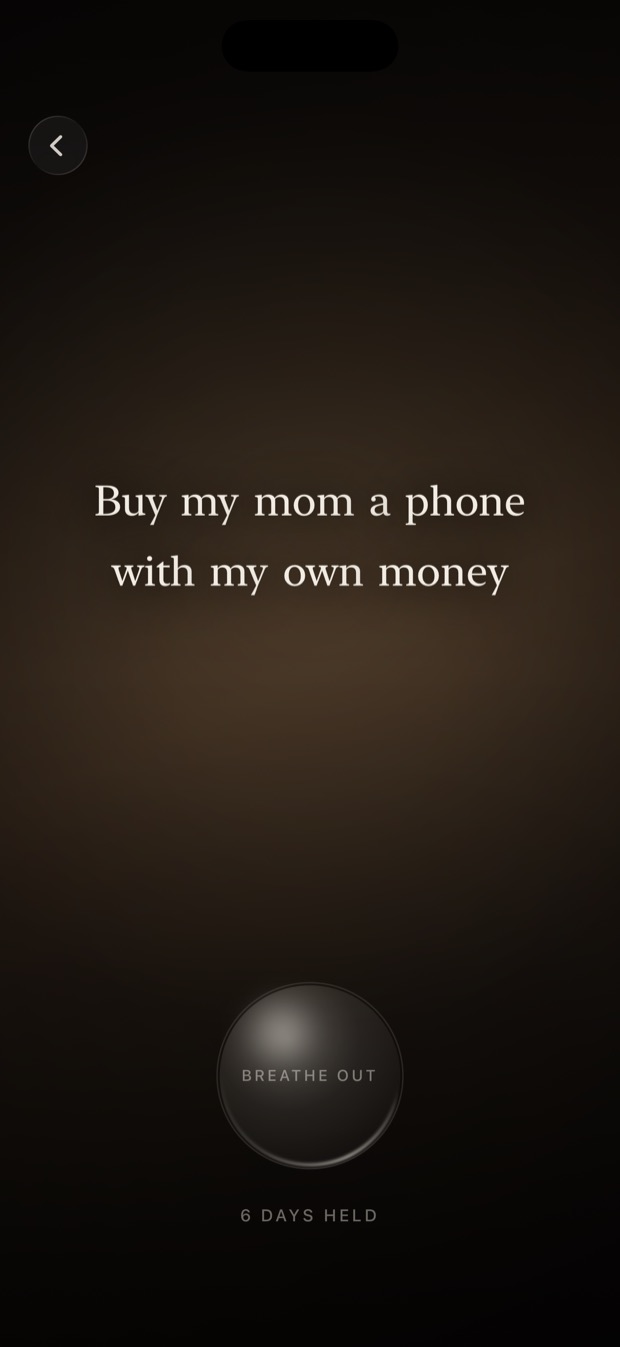
Not a streak you might break or a number you might beat — the sentence you wrote for yourself, arriving one word at a time, over a circle that breathes at five and a half seconds in each direction. Long enough to remember why you closed the app in the first place.
What you can block
Goalism blocks through Apple's own picker, so anything iOS Screen Time can block, Goalism can block — and it never sees what you chose.
Block TikTok, Instagram, X, Reddit, YouTube or a game one by one — whichever ones actually take your hours.
Block a web domain too, so the browser does not quietly become the way around the app you just blocked.
Social, Games, Entertainment — block the category and everything Apple files under it goes with it, including apps you install next month.
Why it works
There is a way past the block screen, and that is deliberate. A wall with no door only teaches people to switch the whole thing off by the end of the week.
So Goalism asks for a few seconds instead. Tap Need it right now? and a countdown appears with your own goal above it — ten seconds by default, longer if you want. Confirm, and you get five minutes. Change your mind, and it never counts against you.
One tap to keep going is a reflex. Ten seconds is a decision.
Features
A focus app and a distraction blocker in one: sessions for the hours you choose, schedules for the hours that repeat, and screen time limits for the apps you want in small doses rather than not at all.
Pick a length, name it, start it. The apps you chose stay shut until the timer runs out.
Write what you actually wanted. It is what appears the moment you open a blocked app.
Block only during the hours that matter — and give each window its own list of apps.
Let an app run twenty minutes a day, then lock it until midnight. Apple counts the time.
Sessions finished and sessions ended early, streaks held, and the times you went on anyway.
Molten gold, ink, sand, eclipse. Pick the one that keeps you looking at the timer.
Put the person, the place or the plan behind your goal on the screen with it.
Apple hides which apps you picked even from Goalism. It cannot read them, so it cannot leak them.
No sign-up, no password, no profile to delete later. Install it and it works.
Set the focus timer for a revision block and stay focused through it, with the phone unable to argue back.
One session per task. Ending early costs a short wait, which is usually enough to make you finish the task instead.
A schedule that blocks the feeds every evening, so you stop scrolling at the point you meant to stop rather than an hour past it.
Compared with Screen Time
iOS already has app limits, and Goalism is built on the very same Apple API. What differs is everything about the moment you are stopped.
| iOS Screen Time limits | Goalism | |
|---|---|---|
| When blocking starts | A daily allowance, or one fixed Downtime window | A session you start by hand, a schedule, or a daily limit — whichever suits the day |
| What the block screen says | That you reached a limit | The goal you wrote, arriving one word at a time |
| Getting past it | “Ignore Limit” — one tap, no friction at all | A ten-second countdown with your own goal above it |
| Turning it on | App by app, buried in iOS Settings | Choose once, then start a session in a single tap |
| What it shows you after | Hours of screen time | Sessions finished, sessions ended early, and the times you went on anyway |
Privacy
The app that blocks distractions should not become one of the things watching you. Goalism has no advertising SDK, no cross-app tracking, and it never reads an advertising identifier.
What leaves the device is a handful of anonymous counts — an app opened, a session started or finished — so the parts people get stuck on can be found and fixed. Never what you blocked, never what you wrote.
Pricing
One app, one goal, unlimited sessions — enough to find out whether this works for you before anything is asked of you.
$0 — forever
Seven days free, then from $0.99
$0.99 monthly · $5.99 yearly with a seven-day trial · $15.99 once, forever. Cancel anytime in iOS Settings.
Questions
Install it, grant Screen Time access once, and tap through Apple's picker to choose the apps, websites or categories you keep losing hours to. Write the goal you want to see instead, then press Start. Until the session ends, those apps will not open.
Yes. The same picker covers apps, web domains and whole categories such as Social or Games. Blocking the website alongside the app matters, because otherwise the browser quietly becomes the way around the block.
Goalism runs on the same Apple API, so the blocking itself is identical. What differs is the moment you are stopped: iOS offers “Ignore Limit” in one tap, while Goalism shows the goal you wrote and asks for ten seconds first. It also blocks on demand — a session you start when you sit down — rather than only on a daily allowance.
Yes, with a schedule. Each time window carries its own list of apps, so TikTok can be blocked every evening while a work app is blocked only between nine and six. Schedules are part of Pro.
No. Goalism uses Apple's Family Controls API. You grant Screen Time access once, from inside the app, and Apple does the blocking. Your passcode is never asked for and never seen.
Yes, on purpose. Tapping “Need it right now?” opens a confirmation screen with a countdown — ten seconds by default — and your own goal above it. Confirm and you get five minutes. A wall with no door only teaches people to delete the app.
No. Apple hands the app opaque tokens it cannot read back into names or bundle identifiers. Goalism can pass those tokens to Apple to block an app, and nothing else. Your choices are hidden even from the app itself.
Neither. There is no sign-up. Your goals, photos, app selections and statistics stay on your iPhone. Only anonymous usage counts — that a session started or finished — ever leave the device.
Focus sessions, the block screen, your goal and the statistics are free forever, with one blocked app and one goal. Pro adds unlimited apps and goals, hour-by-hour schedules, daily minute limits and your own photos. Pro is $0.99 a month, $5.99 a year with a seven-day free trial, or $15.99 once.
iPhone and iPad running iOS 16 or later. Apple's Screen Time blocking API exists only on Apple platforms, so there is no Android or web version.
The support page covers the block screen not appearing, goals not reaching the shield, and restoring a purchase.
Free on the App Store. About a minute to set up, nothing is blocked until you say so, and the only thing standing between you and staying focused is a sentence you already know.